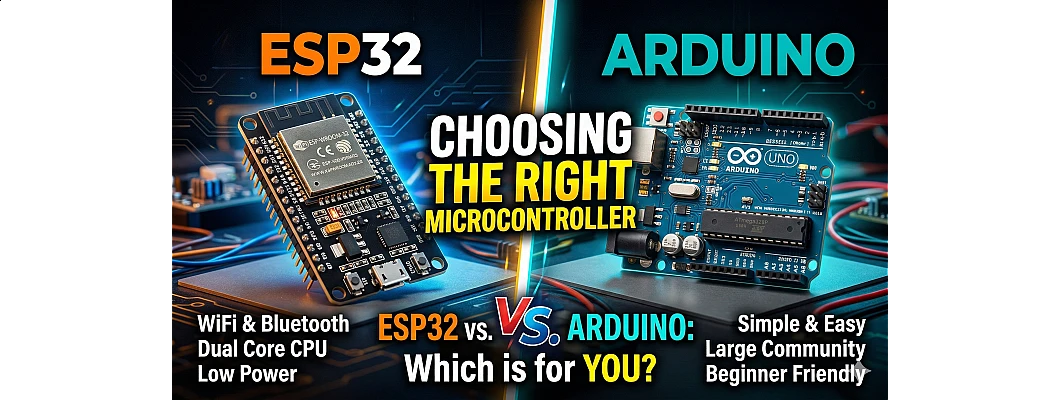
Choosing the Right Microcontroller: ESP32 vs. Arduino – A Complete Guide for Makers and Engineers
When starting an electronics project, one of the most critical decisions you'll make is choosing the right microcontroller. The battle between ESP32 and Arduino has been ongoing for years, and with rapid advancements in IoT technology, this choice has become even more crucial. Whether you're building a simple LED blinker or a complex IoT-enabled smart home system, selecting the appropriate board can save you time, money, and countless headaches.
In this comprehensive guide, we'll dive deep into the specifications, capabilities, use cases, and pricing of both platforms to help you make an informed decision for your next project.
? Understanding the Contenders
Arduino Uno: The Classic Gateway
The Arduino Uno, based on the ATmega328P microcontroller, has been the gold standard for learning electronics since 2010. It's the board most tutorials are written for and offers an incredibly beginner-friendly experience.

Figure 1: Arduino Uno R3 Board Layout and Component Identification
ESP32: The IoT Powerhouse
The ESP32, developed by Espressif Systems, is a high-performance, low-power System on Chip (SoC) designed specifically for IoT applications. Unlike traditional Arduino boards, it comes with built-in Wi-Fi and Bluetooth capabilities, making it a game-changer for connected devices.

Figure 2: ESP32 DevKit V1 Pinout Reference Guide
? Head-to-Head Specifications Comparison
| Feature | Arduino Uno R3 | ESP32 DevKit |
|---|---|---|
| Processor | 8-bit ATmega328P | Dual-core 32-bit Xtensa LX6 |
| Clock Speed | 16 MHz | 160-240 MHz |
| RAM | 2 KB SRAM | 520 KB SRAM |
| Flash Memory | 32 KB | 4 MB (typical) |
| Wi-Fi | ❌ Not built-in (requires shield) | ✅ 802.11 b/g/n built-in |
| Bluetooth | ❌ Not built-in | ✅ Bluetooth 4.2 & BLE |
| GPIO Pins | 14 Digital, 6 Analog | 34+ GPIO pins |
| ADC Resolution | 10-bit (6 channels) | 12-bit (18 channels) |
| Operating Voltage | 5V | 3.3V |
| Deep Sleep Current | ~0.1 mA | ~10 µA |
| Price Range | ₹400-800 (Official) | ₹250-500 |
? In-Depth Analysis: Key Differences
1. Processing Power & Architecture
The ESP32 features a dual-core 32-bit Xtensa LX6 processor running at up to 240 MHz, making it approximately 15-50 times faster than the Arduino Uno's 8-bit ATmega328P running at 16 MHz. This massive performance difference allows ESP32 to handle complex tasks like:
- Real-time audio processing
- Image recognition at the edge
- Running web servers while handling sensor data
- Multitasking with FreeRTOS
2. Connectivity: The Game Changer
Perhaps the most significant advantage of ESP32 is its integrated wireless connectivity. While Arduino Uno requires external shields (costing an additional ₹1,500-2,500) to add Wi-Fi or Bluetooth, ESP32 includes both:
3. Memory & Storage
With 520 KB of SRAM compared to Arduino's 2 KB, ESP32 offers 260 times more RAM. This allows for:
- Larger buffer sizes for data logging
- Running complex algorithms
- Handling multiple sensor inputs simultaneously
- Storing larger programs (4MB+ flash vs 32KB)
4. Power Management
Despite higher active power consumption (~240mA with WiFi active), ESP32's advanced deep sleep modes (consuming as low as 10µA) make it superior for battery-powered projects. An ESP32 weather station can run for 3 months on 2x AA batteries, while an Arduino version might last only 3 weeks.
? When to Choose Which?
✅ Choose Arduino Uno If:
- You're a complete beginner learning electronics
- Your project doesn't require internet connectivity
- You need 5V logic level compatibility
- You're following beginner tutorials
- You want maximum shield compatibility
- Real-time deterministic timing is critical
- You're teaching basic electronics concepts
Best For: LED projects, basic robotics, sensor learning, educational purposes
✅ Choose ESP32 If:
- You need Wi-Fi or Bluetooth connectivity
- You're building IoT or smart home devices
- You require higher processing power
- Battery operation is important
- You need multitasking capabilities
- You want better value for money
- You're building commercial products
Best For: Smart home, wireless sensors, web servers, mobile app control, data logging
? Visual Comparison

Figure 3: Side-by-side comparison of ESP32 and Arduino form factors
? Programming & Development Environment
Arduino IDE Compatibility
One of the best features of ESP32 is that it can be programmed using the familiar Arduino IDE. This means:
- 90% of Arduino libraries work on ESP32
- Same programming syntax and structure
- Minimal learning curve for Arduino users
- Access to both Arduino and ESP32-specific libraries
Advanced Frameworks
Beyond Arduino IDE, ESP32 supports:
- ESP-IDF: Espressif's official framework for advanced users
- MicroPython: Python programming for rapid prototyping
- PlatformIO: Professional development environment
- FreeRTOS: Real-time operating system for multitasking
? Common Myths Debunked
Reality: If you can handle Arduino, you can handle ESP32. The learning curve is measured in hours, not months.
Reality: ESP32's deep sleep mode (10µA) makes it better for battery projects than Arduino.
Reality: Both are extremely reliable. Modern ESP32 boards (2020+) have excellent stability records.
? Real-World IoT Project Example

Figure 4: Typical IoT Project Setup Using ESP32 with Mobile App Control
Consider a Smart Home Temperature Monitoring System:
| Aspect | Arduino + WiFi Shield | ESP32 |
|---|---|---|
| Component Count | 3+ boards (messy wiring) | 1 board (clean) |
| Total Cost | ₹2,400+ | ₹350 |
| Code Complexity | High (200+ lines for WiFi) | Low (built-in libraries) |
| Power Efficiency | Poor | Excellent (deep sleep) |
| OTA Updates | Not possible | Built-in support |
? Decision Framework: Which Should YOU Choose?
Quick Decision Guide:
- Need WiFi/Bluetooth? → ESP32 (non-negotiable)
- Absolute beginner? → Arduino Uno (easier learning curve)
- Budget constrained? → ESP32 (better value)
- Following specific tutorial? → Match the tutorial board
- Battery powered? → ESP32 (superior sleep modes)
- 5V sensor compatibility? → Arduino (or use level shifters with ESP32)
- Commercial product? → ESP32 (cost-effective at scale)
? Pricing at FlyRobo.in
At FlyRobo.in, we offer competitive pricing on both platforms:
- Arduino Uno R3 (Clone): Starting at ₹349
- Arduino Uno R3 (Original): Starting at ₹699
- ESP32 DevKit V1: Starting at ₹279
- ESP32 WROOM-32: Starting at ₹249
- ESP32-CAM: Starting at ₹449 (with camera module)
? Shop Now at FlyRobo.in
Get the best deals on ESP32, Arduino, sensors, and complete starter kits!
Visit Store? Final Verdict
For modern IoT applications, industrial automation, and connected devices, the ESP32 is the clear winner in 2024. Its combination of processing power, wireless connectivity, and cost-effectiveness makes it the go-to choice for serious makers and professionals.
However, the Arduino Uno remains unbeatable for absolute beginners and educational purposes. Its simplicity, extensive documentation, and massive community support make it the perfect starting point for learning electronics fundamentals.
The Bottom Line:
- Best All-Rounder: ESP32
- Best for Beginners: Arduino Uno
- Best Value: ESP32
- Best for IoT: ESP32 (by a huge margin)
- Best for Learning: Arduino Uno
❓ Frequently Asked Questions
Q1: Can ESP32 replace Arduino completely?
In most cases, yes. ESP32 can handle almost all tasks Arduino does, plus much more. However, Arduino still has advantages in 5V compatibility and extreme simplicity for basic learning.
Q2: Is ESP32 difficult for beginners?
Not necessarily. While ESP32 offers more features, beginners can start easily using Arduino IDE. The syntax is 95% identical to Arduino programming.
Q3: Why is ESP32 cheaper despite being more powerful?
ESP32 benefits from mass production, high integration (WiFi+BT+CPU in one chip), and manufacturing scale. Integration reduces overall costs compared to combining multiple modules.
Q4: Can I power ESP32 with 5V?
Yes, most ESP32 development boards accept 5V input via USB or VIN pin, but GPIO pins only support 3.3V. Applying 5V directly to GPIO pins may damage the board.
Q5: Which is better for robotics projects?
For simple robots (line follower, obstacle avoidance): Arduino is sufficient. For advanced robots with camera, WiFi control, or AI: ESP32 is essential.
? Ready to Start Your Project?
Whether you choose ESP32 or Arduino, FlyRobo.in has everything you need!

Leave a Comment