(inc GST)
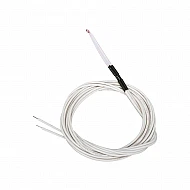
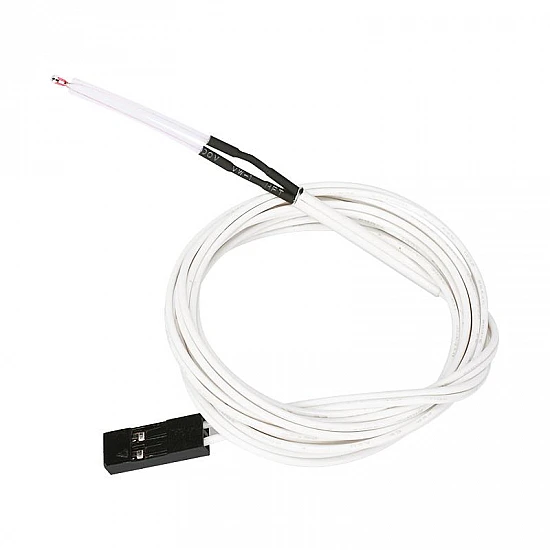
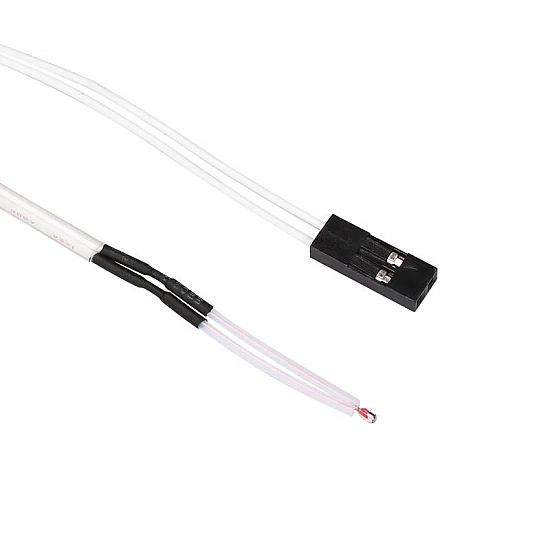
The NTC 100K 3950 Thermistor Temperature Sensor is a high-precision, glass-encapsulated thermal sensor designed for accurate temperature monitoring in demanding environments. Featuring a standard 100K ohm resistance with a B-value of 3950, this thermistor provides rapid response times and exceptional stability. It is the go-to solution for preventing thermal runaway and ensuring precise temperature control in DIY electronics and 3D printing hardware.
This sensor comes pre-wired with a 1-meter 28 AWG flexible cable terminated with a standard 2-pin Dupont connector, making it directly compatible with RAMPS 1.4, Creality, Anet, and other popular 3D printer control boards. Beyond 3D printing, it is highly compatible with microcontrollers like Arduino, ESP32, and Raspberry Pi, making it perfect for custom smart home thermostats, weather stations, and industrial temperature logging systems.
Features:
- High Precision Sensing: Glass-encapsulated bead offers ±1% resistance tolerance for highly accurate readings.
- Wide Temperature Range: Capable of measuring temperatures reliably from -40°C up to +250°C.
- Plug-and-Play Integration: Pre-crimped with a standard 2-pin Dupont connector for solderless connection.
- Generous Cable Length: Includes a 1-meter 28 AWG insulated wire, perfect for large-format 3D printers and remote sensing.
- Fast Thermal Response: Small thermal mass of the glass bead ensures quick detection of temperature fluctuations.
Package Includes:
1 x NTC 100K 3950 Thermistor with 1m Dupont Cable
| Technical | |
| Accuracy | ±1% |
| Cable Length | 1 meter |
| Connector Type | 2-Pin Dupont |
| Resistance | 100K Ohm |
| Temperature range | -40°C to +250°C |
| Wire Diameter | 28 AWG |
Ask a Question about NTC 100K 3950 Thermistor Temperature Sensor with 1m Dupont Cable
-
Yes, You can claim GST credit if you have a GST number. To do it you have to mention the GST number at the time of checkout. GST option appears in the Billing Address. If you are an existing customer of flyrobo then you can log in to your account ( Account → Address Book → Edit Address) and Then enter your GST number.FlyRobo[ 16/11/2022 ]